
The source of the DWervice agent is now available on Github. Everyone may now review the code and optimize it for Windows, macOS or Linux. If you are a developer willing to help us, please visit the project page over here.
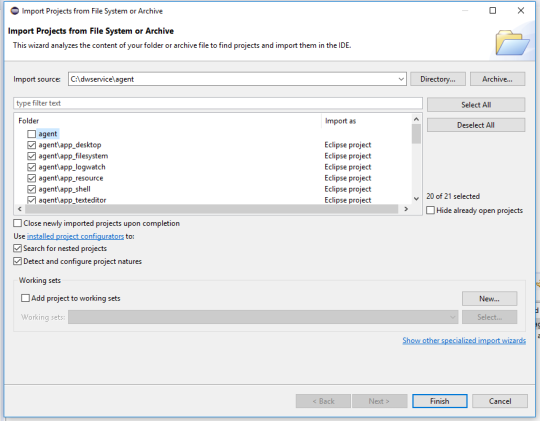
The source of the DWervice agent is now available on Github. Everyone may now review the code and optimize it for Windows, macOS or Linux. If you are a developer willing to help us, please visit the project page over here.
As we’re closing on 2018, we continue our work on various part of DWService and we have a small piece of news to share with you.
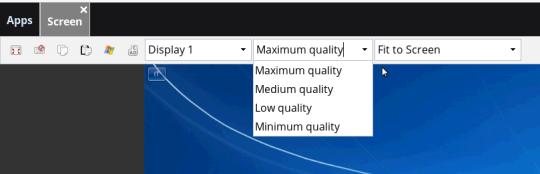
From now on, whenever you access one of your remote machines you now have several options offered to you whenever you want to do a screen capture. More precisely you can choose between various types of quality, that is, several levels of image compression : Minimum, Low, Medium or Maximum.
The community is continuously helping translating our website so anybody can easily use DWService from wherever they are to access remote computers around the world.


At DWService, we praise open source values and our community is growing more and more everyday. Thanks to our users, we’ve recently been able to open new nodes around the world with one in Norway and another one in Spain. In addition, we also have a node in France, in the United Staes and in Canada. It make the whole experience much faster for everyone
Just a few days after the opening of the Norway node, we are announcing another new one in southern Europe : Spain.

In order to increase the performance of DWService worldwide, we’re opening up new nodes one after the other thanks to the great contributions of our community.

Among the features offered by DWService.net, you can very easily access files stored on remote computers. Again, all it requires it a small agent running on your home computer/server.
Do you wish to contribute to the grow of DWService by making a sponsorship or a donation? We now provide new ways for you to help.
Until now, we accepted transfers via Paypal, but we understand that it may not always be the best way to transfer funds.

Apple just announced that the release of macOS Mojave, currently in beta, will mark the end of Back to my Mac. Currently part of iCloud, Back to my Mac was initially developed to enable users to remotely access the fils and the screen of their remote Mac computer. Good thing we’re here!

If you are a Mac customer and are used to remotely access one of your Mac, this piece of news might impact your daily routine when Mojave comes out of beta at the end of September. Sure, you can always choose to go with a paid alternative software. Or you can jump on DWService.
Free and open source, DWService is accessible from any modern browser, without any need to install a software or an extension on the computer in front of you. All you need is to install a small agent on your remote computer. Et voilà!
In practice, this means that you’ll be able to access your files and your remote screen even from a restricted computer, like the one in a cyber café or in a library. It also means that you will not have to trouble your friends or family by temporary installing anything on their machine. And because all is happening within a web browser, it does not matter what operating system they are using.
Of course, DWService is not limited to one remote machine. It is also not limited to macOS but also allows you to remotely access a Windows or a Linux machine.
Get prepared, check it out
Do you manage several remote machines from DWService.net? Tired of having to log in your dashboard to select the computer that you want to access? Well, we’ve got a small tip for you!
Say, for instance, that you have set up your home computer and your work computer in DWService.net. Let’s say you called the first one “Home” and the second one “Work”.